 MDZip.org
MDZip .mdz
A portable, cross-platform, AI-friendly file format and ecosystem for packaging Markdown, images, and metadata into a single archive.

.deb package (Debian/Ubuntu/Mint/Pop!_OS, with .mdz file-type registration) and a distro-agnostic AppImage join the existing Windows installer. Also new: background update checks, document stats in the status bar, and title-from-filename for empty documents.
What is an .mdz file?
document.mdz
 ├── index.md          # entry point
 ├── manifest.json     # optional
 └── images/
    └── cover.png
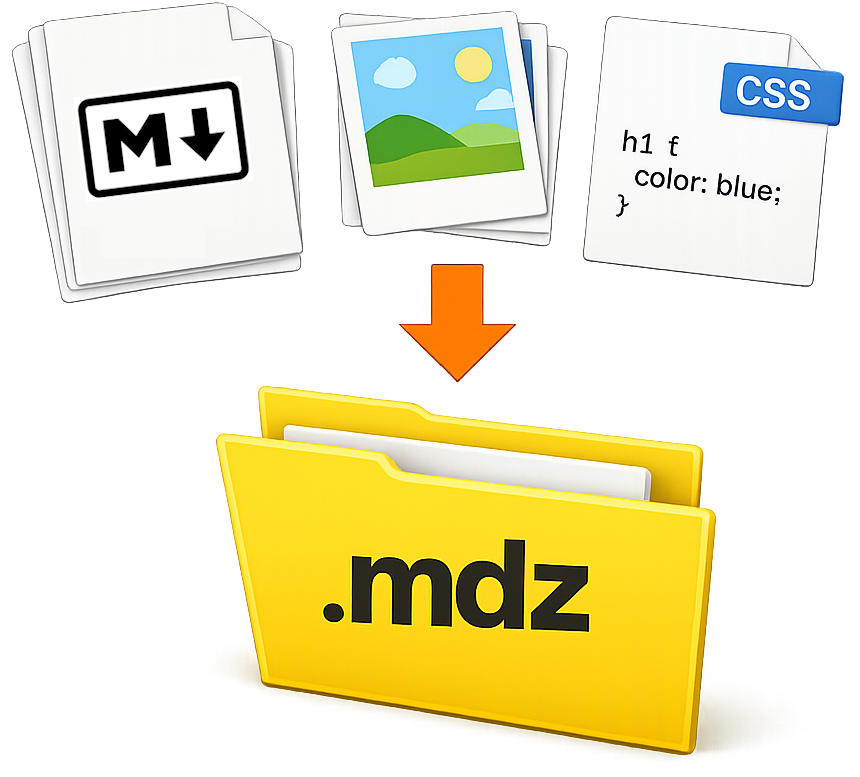
An .mdz file is a ZIP archive with an .mdz extension and a defined structure for packaging one or more Markdown documents,
their assets, and optional metadata in a single self-contained file.
Think of MDZip (.mdz) like...
One document
- Markdown that keeps its assets - A Markdown file packaged with everything it references — images, SVGs, diagrams, PDFs, stylesheets.
- DOCX without Word - Why reach for Word when all you want is basic formatting with images?
- EPUB for Markdown - a portable package of content with images, and metadata, but with Markdown instead of XHTML.
Or a whole project
- A portable Markdown project - an ebook, a documentation site, a wiki — a folder of
.mdfiles and assets packaged into a single file.
Quick Steps to Create an .mdz File:
1 Markdown + images + whatever in a folder, with an index.md at the top
➜
2 ZIP the folder's contents (not the folder itself)
➜
3 Rename to .mdz.
.mdz adds a flexible contract so tools can open the right file every time.
A conforming tool will usually create a manifest file to describe the contents and metadata of the .mdz archive (optional but recommended). No manifest? Tools fall back to index.md, or the single Markdown file at the root if there's only one — otherwise they'll ask you to add a manifest to disambiguate.
Quick Steps to View an .mdz File:
.mdz file to .zip (or just open it with a ZIP tool directly)..md file with a compatible viewer that can resolve relative paths.Common use cases
One document
- Cross-tool Markdown documents with assets — Keep any Markdown file — notes, prompts, READMEs, reports — portable with its images, diagrams, PDFs, and stylesheets across editors and tools. Avoid broken asset references when moving between apps or file structures, and enable consistent viewing without needing a specific application.
- AI context packages — Package a Markdown document and its images into a single
.mdzfile to hand to an AI agent as self-contained context: the document and every image it references travel together, so an agent can read them without separately fetching or re-linking assets. In VS Code, the included Model Context Protocol (MCP) server lets agents read archive contents and images directly without extracting anything. This is a property of the packaging, not a guarantee about any particular AI tool — support for MCP or for reading images is tool-specific, and archive contents (like any file from an external source) should be treated as untrusted input.
Or a whole project
- Book — Each chapter as its own
.mdfile, packaged with a cover image, illustrations, and assets into a single portable file. - Multi-page documentation — A MkDocs-style docs site with each section as a separate file, packaged for sharing, archiving, or later rendering.
- Markdown-based website — A complete
.md-based site packaged into a single file for handoff, backup, or offline use.
The rest of this site describes the format, project, provides examples, and offers tools for creating and viewing .mdz files.
Where to go next
- The Problem — what
.mdzis solving - Getting Started — open, create, and validate your first
.mdz - File Format — archive layout and manifest behavior
- Tools — Studio, the CLI, VS Code, browser tools, and developer libraries
- Project — architecture diagram, repos, and release status
- Demos — create/package/render examples and live demo links
- FAQ — practical questions and answers about
.mdz - Contribute — integrations and roadmap
Markdown resources
Useful references for Markdown syntax, compatibility, and implementation details.
- Daring Fireball: Markdown — The original Markdown project.
- CommonMark Specification — A widely used Markdown specification.
- GitHub Flavored Markdown (GFM) Spec — CommonMark plus widely used extensions like tables and task lists.
- Markdown Guide — practical syntax examples and tooling guidance.
- Classic Books in Markdown — public-domain books in Markdown format, useful for real-world examples and testing.